All Apps
383 apps
 MarkoutMarkout is a native Markdown editor for macOS, built as a spiritual successor to the no longer maintained MacDown. You write plain text on one side and see the rendered result on the other, with a live preview that follows your scrolling. The preview supports GitHub-Flavored Markdown, syntax-highlighted code, TeX math with KaTeX and diagrams with Mermaid, and everything runs offline: the rendering engines are built into the app, so your documents are never sent anywhere.Productivity
 ClipFlowClipFlow adds a clipboard history to the Mac, much like the Win+V history Windows users know. It sits in the menu bar and remembers the last 50 things you copied, text and images alike. Press Command-Shift-V and a small popup appears just above your cursor. Move through older and newer items with the up and down arrow keys, the way you move through commands in a terminal, then press Return or simply let go of Command to paste the selected item.Productivity
 TintpadTintpad is a free, open-source launcher for developers who work with command-line coding agents such as Claude Code and Codex. Press Option-Command-Space anywhere and a black drop falls out of your Mac's notch, or hangs below the menu bar on Macs without one, with your repositories inside. Type a few letters, press Return, and your own terminal opens at that repository with the agent already running, in the mode you used there last.Developer Tools
 Home RecHome Rec is a free, open-source app that records the audio your Mac is playing. It uses Apple's ScreenCaptureKit, so there are no virtual audio drivers, kernel extensions or routing to set up: launch it, click record, and it captures everything your Mac plays, a single app or a microphone. Recordings are saved as lossless WAV by default, or as FLAC or M4A, with a live waveform in the main window and in the menu bar.Music & Audio
 AutoDocAutoDoc is a free, open-source meeting notes app that keeps the whole process on your computer. It records your screen, your microphone and the system audio of a meeting, transcribes them on the device and turns the transcript into editable notes with a summary and conversation topics. Click a timestamp in the notes and the screen recording jumps back to that moment. An Ask AI feature answers questions across all your meetings, also on the device.Productivity
 ScreenHintScreenHint is a free, open-source Mac app that turns any part of your screen into a floating sticky note, called a hint. Press its keyboard shortcut, select a region, and the capture appears as a small window that stays on top of everything else. Hints keep the information you need a glance away: a reference while you write, a reminder of what you are working on, a figure you want to compare with a newer version, or anything else you do not want to lose behind other windows.Productivity
 PlonkPlonk is a free, open-source toolbox for the Mac that puts a set of everyday utilities behind one menu bar icon. It arranges windows in snap zones you draw yourself, saves workspaces that put apps back on the right monitor, takes and annotates screenshots, copies text from anything on screen with on-device OCR, measures the screen in points and pixels, keeps the Mac awake and adds pointer tools. Every tool shares one interface, one command palette and one set of settings, and each module except the shortcut guide can be switched off.Customization
 FS PDF CompressorFS PDF Compressor, where FS stands for Fast & Simple, is a free, open-source app that makes PDF files smaller without uploading them anywhere. Drag one PDF, several PDFs or a whole folder onto its window and it compresses them on your Mac with Ghostscript, which is included in the app, so there is nothing else to install. It uses balanced compression by default, with two optional quality profiles, and it replaces the original only when the result is actually smaller. A Keep original mode makes a separate compressed copy instead and remembers your choice.System Utilities
 TetherShotTetherShot is a free, open-source Mac app that captures your iPhone or Android screen with one click. A trusted iPhone connected by cable is captured at full resolution through macOS's own AVFoundation, with no setup, and Android phones are captured through ADB over USB or wireless debugging. Each screenshot is saved as a PNG to a folder you choose and copied to the clipboard, and a global shortcut, Command-Shift-7, captures every connected device or one preferred phone from anywhere.Productivity
 MarkupMarkup is a free, open-source Markdown editor for the Mac that is built around reading. Open a folder of notes and each file is rendered as a clean document, with KaTeX math, Mermaid diagrams, syntax-highlighted code, tables and task lists, instead of a plain text box. Press E to edit in WYSIWYG mode or Command-/ for the raw Markdown source, so reading, editing and source view are always one keystroke apart.Productivity
 Aleph OneAleph One is the free, open-source continuation of Bungie's Marathon 2 and Marathon Infinity game engines. It plays Marathon, Marathon 2: Durandal and Marathon Infinity natively, and it also powers dozens of community-made games, from new levels to total conversions with their own weapons, monsters, music and storylines set inside and outside the Marathon universe. The engine on its own is not a game: to play, you need a set of game data files, called a scenario, and you copy the Aleph One app into that scenario's folder before launching it.Games
 VigilVigil is a free, open-source native Mac terminal for running coding agents as a team. Instead of copying messages between several agent windows yourself, you give a task to a root manager agent, which can start worker agents and sub-managers of its own. Detail flows down the tree and results roll back up to the manager as summaries, which keeps the manager's context lean. A live node tree shows the whole team at once, and every node keeps the agent's own terminal interface, so you can open any of them and take over directly.Developer Tools
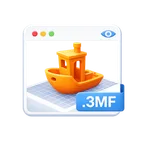 Preview3MFPreview3MF is a free, open-source Quick Look extension for .3mf files, the 3D Manufacturing Format used by 3D-printing slicers. Select a .3mf file in Finder, press Space and you get a real 3D preview of the model, rendered with lighting, shading and materials, which you can orbit and zoom with a mouse or trackpad. It also adds proper Finder thumbnails for .3mf files, reusing the slicer's embedded preview image when there is one and rendering the model itself when there is not. You do not need to open Bambu Studio, PrusaSlicer or OrcaSlicer just to see what a file contains.Graphic Design
 LanGuardLanGuard is a free, open-source menu bar app that turns Wi-Fi off the moment a wired network link goes up and switches it back on when you unplug. By default macOS keeps Wi-Fi running even when your Mac is docked over Ethernet, which leaves a second network route active and can send traffic out the wrong connection. LanGuard handles the switch for you. It acts only on plug and unplug moments, so if you turn Wi-Fi back on by hand while docked, it stays on until you next unplug the cable.Internet Utilities
 TinkerToolTinkerTool is a free utility that gives you access to additional preference settings Apple has built into macOS but does not show in System Settings. With it you can switch on hidden features of the operating system and of some apps that come with it: show hidden files in the Finder, add spacers to the Dock, change the screenshot file format, turn off Liquid Glass or keep chosen apps light while dark mode is on. Every change applies only to your own user account, and all settings can be reset to Apple's defaults or to the state before you used the tool.Customization
 DeploylightDeploylight is a free, open-source menu bar app that shows your deployment status in real time. It works with Vercel deployments and Cloudflare Workers Builds and merges both into one list. The menu bar icon shows whether the latest build is building, ready or has failed, and while a build runs it can also show the project name and a live build timer. Click any deployment in the menu to open it in Vercel or the Cloudflare dashboard.Developer Tools
 DeckleDeckle is a free, open-source menu bar app that lays a subtle paper-grain texture over your entire Mac screen. The idea is to make long reading and writing sessions feel more like paper than glass. You pick a paper, set how strong it is, and keep working: the overlay is fully click-through, so every window underneath stays usable. It comes with 26 built-in papers, from a plain dimming veil with no grain to warm, tinted, dark and fiber-heavy finishes, and you can save up to eight named desk setups such as Read, Write or Unwind.Customization
 ReposeRepose is a free, open-source break reminder that lives in the Mac menu bar. It counts down your work interval next to the clock, and when the time is up it dims your screen with a gentle reminder to look away and rest your eyes. When the break is over, the cycle starts again. Pause, resume, restart and every setting are in the menu itself, so there is no separate preferences window.Health & Fitness
 PresspeechPresspeech is a free, open-source dictation app for Apple Silicon Macs. Hold a key, speak, let go, and your words appear at the cursor in whatever app you were typing in. Speech recognition runs entirely on your computer: Presspeech uses NVIDIA's multilingual Parakeet TDT v3 model through FluidAudio on the Apple Neural Engine, and once the model is warm a typical sentence is transcribed in about a tenth of a second. It recognises 25 European languages and detects the language automatically.Productivity
 DevProjexDevProjex is a free, open-source app that turns any folder or Git repository into clean context for AI. You tick the folders and files you need in a file tree, check a live preview with its token estimate, and then copy or export the result as ASCII, Markdown, JSON or XML, or as a clean copy of the project in a folder or ZIP. Detected secrets such as keys and passwords are masked before anything leaves the app, and you can also mask private data like emails, IP addresses and user paths.Developer Tools
 mxMarkEditmxMarkEdit is a free, open-source Markdown editor for the Mac, inspired by Emacs Org-mode and aimed at writers, students, academics and managers. It formats Markdown as you type: headings, italics, bold, code and quotes are shown formatted with their markers hidden, while footnotes, links and pictures appear in colours you choose. Each document can hold to-do items, which the app gathers in a summary, and an Excel-like grid for sets of data. A file manager searches for a sentence in every document and grid in a folder, and the app can also show a document as a simple presentation.Productivity
 LyricGlowLyricGlow is a free, open-source Mac app that shows synchronized lyrics for the song playing in Spotify or Apple Music. Each word lights up as it is sung, karaoke-style, in a floating window that shows the previous, current and next line, and the current line also ticks by in the menu bar next to the clock, so you can follow the song with the window hidden. Every lyric line can show a live translation into any of 43 languages, including right-to-left scripts such as Persian, Arabic and Hebrew.Music & Audio
 LangSwitcherLangSwitcher is a free, open-source menu bar app that fixes text typed in the wrong keyboard layout. If you meant to type привет but your Mac was set to English and you got ghbdtn, press Shift twice and LangSwitcher replaces the text with the right characters. It works out which layout the text was typed in and maps each character through its physical key position, so punctuation such as ? and ! stays as it is. It supports English, Russian, German, French and Spanish layouts, taken from the input sources you already use.Productivity
 ClaveClave is a free, open-source desktop app for running several coding-agent sessions at once. You can open as many Claude Code, Codex CLI, Antigravity CLI and Pi sessions as you need, each in its own terminal, along with plain terminal tabs, and arrange them in split or grid layouts so you can switch between them instantly. Sessions can be organised into groups, and saved workspace files reopen a whole set of sessions together.Developer Tools