All Apps
383 apps
 Super ProductivitySuper Productivity is an advanced to-do list with timeboxing and time tracking. Plan and organize your tasks with subtasks, projects and tags, lay out your day on a schedule next to your calendar events, and sort tasks on boards such as Kanban and the Eisenhower Matrix. Track the time you spend on each task and create time sheets and work summaries to export to your company's time tracking system. A planner helps you look ahead, and reminders and repeating tasks keep routines on track.Productivity
 NotesnookNotesnook is a note-taking app focused on privacy and ease of use. Everything you write is encrypted on your device before it is synced, using XChaCha20-Poly1305 and Argon2, so only you can read your notes. It is made as a private alternative to Evernote, with notebooks, tags and a rich editor, and it syncs your notes across your Mac, phone and the web.Productivity
 MotrixMotrix is a clean, full-featured download manager for HTTP, FTP, BitTorrent, magnet links and more. Add a link or a torrent and Motrix downloads it, with per-file selection for torrents, speed limits with several profiles, and sessions that restore your downloads after a restart. A customizable dashboard shows transfer statistics and live activity, and you get a notification when a download finishes. The Motrix Extension for Chrome, Edge and Firefox hands browser downloads to Motrix in one click.Internet Utilities
 MarkTextMarkText is a simple, elegant Markdown editor focused on speed and ease of use. It shows your formatting in real time as you type, in a clean, distraction-free window, so you write and see the result in one place. It supports the CommonMark and GitHub Flavored Markdown standards, with extras such as KaTeX maths, front matter and emoji, and shortcuts for paragraphs and inline styles help you write faster. You can export your documents as HTML or PDF.Productivity
 CopyQCopyQ is an advanced clipboard manager with powerful editing and scripting features. It watches the system clipboard and saves what you copy in tabs you can organise, so you can copy and paste any earlier item straight into any app. It keeps text, HTML, images and other formats, and you can quickly browse and filter your history, sort, edit, remove and drag items, and add notes and tags to them.Productivity
 ActivityWatchActivityWatch records what you do on your computer so you can see how you spend your time. It runs in the background and automatically tracks the app you are using and its window title, the active browser tab with its title and address, and whether you are at the keyboard or away. Then it shows you how your day was spent, with categories you can set up, so you can spot where the hours go without starting and stopping timers by hand.Productivity
 YapYap is a fast voice dictation app for the Mac that works anywhere you can type. Press its shortcut, talk, and press it again: your words are pasted into the text field you were using. While you speak, a small window near the bottom of the screen shows a live waveform and a running preview of what you have said. The default shortcut is Command-Shift-D, and you can change it or use a single key such as the right Shift key.Productivity
 SaneBarSaneBar tidies your Mac's menu bar. Hide the menu bar apps you do not need right now, keep the important ones visible, and open hidden apps quickly when you need them. Hold Command and drag icons in the menu bar to choose which stay visible, then click the SaneBar icon to show or hide the rest. Hidden apps can be browsed in an Icon Panel, where you can search by name and double-click to open one, or in a second menu bar.Customization
 Pareto SecurityPareto Security helps you keep up basic security on your Mac. It lives in the menu bar and regularly checks common settings that are easy to forget: whether FileVault disk encryption is on, the firewall is enabled, automatic login is off, Gatekeeper is active, the screen locks automatically and your apps are kept up to date. When something is off, it gently reminds you to fix it. The idea behind the name is the Pareto principle: take care of the 20% of security tasks that prevent 80% of problems.Security
 MonolingualMost people use their Mac in one or two languages, yet apps and macOS carry translation files for dozens more. Monolingual removes the language files you do not need and gives that space back to you. Pick the languages to remove, and Monolingual clears them from your apps; it can also remove processor architectures you do not need from universal apps. English can no longer be selected for removal, because deleting it would break macOS.System Utilities
 ImageOptimImageOptim makes images load faster by making their files smaller without losing quality. Drag images onto its window and it runs several of the best optimization tools automatically, such as MozJPEG, pngquant, OxiPNG, Zopfli and SVGO, and keeps the smallest result. It works with JPEG, PNG, animated GIF and SVG files. It also removes invisible junk: private EXIF metadata such as GPS position and camera serial number, embedded thumbnails, comments and unneeded colour profiles, so you can publish images without exposing private information.Graphic Design
 EdmundEdmund is a minimal, native Markdown editor for macOS with inline live preview: the formatting appears as you type, in the style of Typora and Obsidian. It is file-based, so you open .md files from anywhere on your Mac, with no vaults or special folders. Edmund is written fully in Swift with AppKit and TextKit 2, so it starts quickly and handles files of one or two megabytes with ease. It works alongside a Markdown notes folder or on its own.Productivity
 DatWeatherDoeDatWeatherDoe is a simple weather app for the Mac menu bar. It shows the current weather right in the menu bar, so a glance tells you what it is like outside. It can find your weather through Location Services, or you can enter a latitude and longitude yourself. You choose how often it refreshes, and it supports dark mode, so it fits into your menu bar in any appearance.Lifestyle & Hobby
 ClipbaraClipbara keeps a history of everything you copy on your Mac. Press Command-Shift-V and a panel slides up at the bottom of the screen, without taking focus from the app you are working in. Click a clip once and it is back on your clipboard, ready to paste. Clipbara saves text, rich text, HTML, images, links, files and colours, and you can search by content or title, filter by type and date, and move between clips with the arrow keys.Productivity
 BarTranslateBarTranslate puts a translator in your Mac's menu bar. Click its icon or press your hotkey and a small panel opens with Google Translate, with the cursor already in the text field so you can start typing straight away. A Quick Translate hotkey instantly translates whatever is on your clipboard. BarTranslate remembers your last source and target languages between launches, and you can choose light, dark or system appearance for the app and the translation page.Productivity
 AdrafinilAdrafinil keeps a Mac awake while an AI coding agent is working, even with the lid closed, and lets it sleep again as soon as the work is done. Hooks tell it when agents such as Claude Code, Codex, Cursor, Gemini CLI, Aider, Cline and others start and finish a task. It tracks several agents at once, and your Mac only goes to sleep after the last one ends. You can also hold the Mac awake for a set time, or let it sleep at any moment.System Utilities
 ViennaVienna is a free news reader for the Mac that follows RSS, Atom and JSON Feed subscriptions. Its layout is modeled on Apple Mail: you quickly scan the summaries of new articles, then open any of them for reading in a simple built-in browser view. Vienna can fetch your feeds directly from the websites you follow, or sync them with an online service that supports the Open Reader API, such as BazQux, so your reading stays in step across devices.Productivity
 TRexTRex copies text you cannot select. Press its shortcut, drag over any part of the screen as if taking a screenshot, and the text in that area is recognized and placed on your clipboard, ready to paste. It works on PDFs with non-selectable text, screenshots, images, YouTube videos, Zoom screen shares and anything else you can see. TRex also reads QR codes and barcodes, lives quietly in the menu bar, and does all its text recognition offline.Productivity
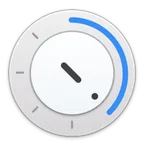 TimerTimer is a simple, good-looking countdown timer for the Mac. Drag the blue arrow around the dial to set the time and release it to start; click to pause. When the time is up, a notification appears with a pleasant sound. You can also type the time: enter digits for minutes, and use a decimal point for seconds, so 2.30 is two minutes and thirty seconds. Need more than one? Press Command-N for a new timer, each in its own small window.Productivity
 SensibleSideButtonsIf you use a third-party mouse with your Mac, its side buttons (often called M4 and M5) do almost nothing useful by default. On Windows they move back and forward in nearly any window with a history. SensibleSideButtons brings that to macOS: your side buttons act like the three-finger swipe on a trackpad, so you can go back and forward in Safari, Finder and almost any other app with a history.Customization
 PhosphenePhosphene lets you use your own videos as wallpapers on macOS. It adds them to System Settings → Wallpaper through the same system that plays Apple's Aerial wallpapers, so you pick a video there just like a built-in wallpaper, and macOS plays it on the desktop and the lock screen, even after you quit Phosphene. Drag a video into Phosphene's library or onto its menu bar icon, then choose it in System Settings. It plays MP4, MOV, HEVC, H.264, ProRes and other formats your Mac can decode, with gapless looping.Customization
 PetrichorPetrichor is an offline music player for the Mac, made for people who keep their own music collection. Point it at your music folders and it builds an organized library you can browse by artist, album, year or folder. It plays more than 40 audio formats, from MP3 and AAC to lossless FLAC, ALAC, WAV, APE and DSD, and it reads the real encoding of each file, so its Lossless badge is always accurate. You can create, import and export playlists, build smart playlists with detailed rules, manage the queue by drag and drop, and pin almost anything to the sidebar.Music & Audio
 MiddleDragMac trackpads have no middle mouse button, but many apps expect one. MiddleDrag adds it with three-finger gestures: a three-finger tap is a middle-click, and a three-finger drag is a middle-drag. Use it to open links in new background tabs and close tabs in your browser, pan the canvas in Figma or Photoshop, close editor tabs in code editors, and orbit and pan the view in 3D apps such as Blender, FreeCAD and SketchUp. Mission Control and other macOS gestures keep working.Customization
 Mac SaiMac Sai is a free, open-source cleaner, optimizer and malware scanner for the Mac, made as an alternative to CleanMyMac. One click on Smart Scan runs its cleanup, protection and performance tools together and shows exactly what it freed. It finds system junk in more than 16 categories, such as caches, logs, unused language files, old iOS backups and Xcode leftovers, and it also cleans mail attachments, Trash bins and regenerable build folders like node_modules.System Utilities